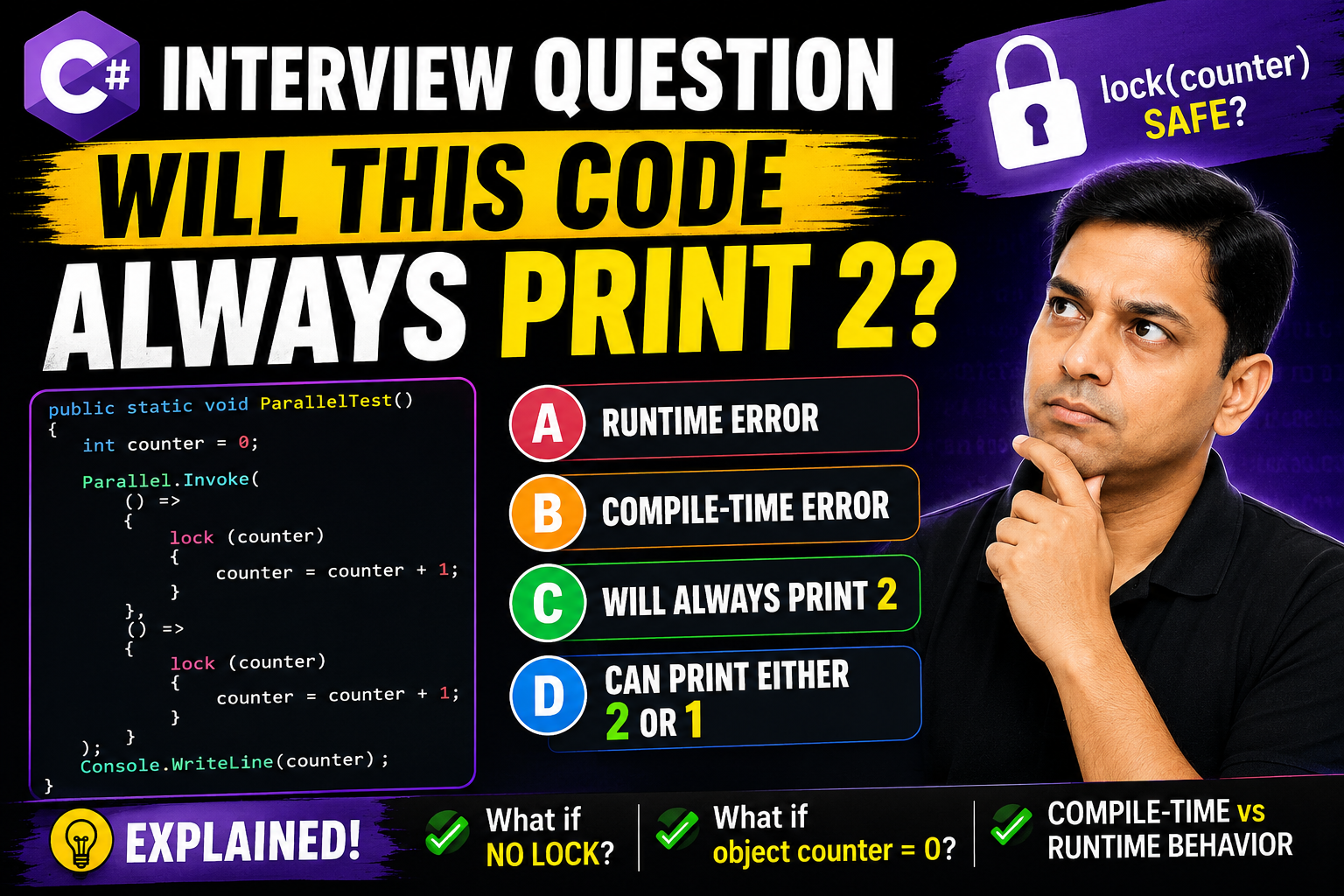
Recently, I created a YouTube video discussing a very interesting C# interview question related to Parallel.Invoke, lock, thread safety and race conditions. Surprisingly, even experienced developers often get confused by this question.
In this blog, we will deeply analyze the problem and understand what is actually happening behind the scenes.
public static void ParallelTest()
{
    int counter = 0;

    Parallel.Invoke(
        () =>
        {

            lock (counter)
            {
                counter = counter + 1;
            }
        },
        () =>
        {

            lock (counter)
            {
                counter = counter + 1;
            }
        }
    );

    Console.WriteLine(counter);
}
The correct answer is:
Many developers immediately start thinking about race conditions and thread synchronization. However, the code does not even reach runtime.
The reason is simple:
lock(counter)
Here, counter is an int, which is a value type. But the lock statement in C# requires a reference type object.
Therefore, the compiler throws an error before execution even starts.
Internally, the lock statement works using object monitors. These monitors are associated with reference type objects.
Value types like int are stored differently and cannot safely act as synchronization objects.
Suppose we change the code like this:
public static void ParallelTest()
{
    int counter = 0;

    Parallel.Invoke(
        () =>
        {
            counter = counter + 1;
        },
        () =>
        {
            counter = counter + 1;
        }
    );

    Console.WriteLine(counter);
}
Now the code compiles successfully.
However, this introduces a race condition. Since both threads may try to update the variable simultaneously, the output may become unpredictable.
You may get:
depending on thread scheduling and execution timing.
This is another interesting variation discussed in the video.
object counter = 0;
Now the code compiles because counter is an object reference.
But this creates another dangerous situation.
Inside the lock block, if the value changes, boxing may create a completely new object reference.
That means different threads may actually lock different objects, completely defeating synchronization.
This is one reason why locking directly on changing objects is considered bad practice.
The recommended approach is to use a dedicated private object for locking.
private static readonly object locker = new object();

public static void ParallelTest()
{
    int counter = 0;

    Parallel.Invoke(
        () =>
        {
            lock (locker)
            {
                counter++;
            }
        },
        () =>
        {
            lock (locker)
            {
                counter++;
            }
        }
    );

    Console.WriteLine(counter);
}
This ensures all threads synchronize using the exact same reference object.
I have explained all these concepts in detail in my YouTube video along with practical discussion and interview perspective.
I provide friendly and practical one-to-one mentorship for:
My focus is always on strong fundamentals, real understanding, debugging skills and interview confidence rather than memorizing answers.
I have more than 20 years of experience in .NET technologies, and all sessions are conducted personally in a comfortable one-to-one environment.
🌐 Website: https://supernovaservices.com
To keep every session productive and distraction-free, please follow these simple guidelines:
Following these guidelines helps you focus better and ensures I can deliver the best learning experience in every class.
I prefer to start with a short 10-minute free call so I can understand:
Why? Because course content, teaching pace, and fees all depend on your needs — there’s no “one-size-fits-all” pricing. Please leave your details below, and I’ll get back to you to arrange a convenient time for the call.
Note: Payment is made only after your first class or after a long telephonic conversation, once you’re completely satisfied. However, fees once paid is non-refundable. This helps maintain scheduling commitments and allows me to reserve your preferred time slot with full attention.

We would like to extend our sincere gratitude and appreciation to Mr. Sudipto of Supernova Services for a tremendous professionalism, for his unique ability in sharing and teaching technical concepts to us! The abundance and wealth of knowledge we have received during the last few years will never be forgotten. He is a superb mentor, really knows how to approach any topic and present it in such way to ensure his student’s full understanding. He really cares about his students, as I have witnessed firsthand, Mr. Sudipto very often went above and beyond the call of duty to assist. He is a great person, very passionate about technologies, with unique talents and ability to teach spanning many different topics and technologies! I wish we could rank his services higher than available 5 stars here, perhaps 50 stars. Mr. Sudipto and Supernova Services, you are the BEST! Thank you for everything!!!
Boris Olshansky

It was an awesome experience for me in improving, especially my technical skills to a new paradigm, I learned and benefited immensely from the course and Sudipto Sir. The course design is meticulously well planned, very updated, utmost industry oriented, International standard, .... and after all Sudipto Sir is superb .... extremely knowledgeable .... student friendly .... very easily he make someone understand with very own our real life examples .... I have been immensely benefited during my career with TCS ....
Siddhartha Mohanty

I had a great time doing this course and everyone involved in the SUPERNOVA has made it a great experience. I have been recommending everyone I know. Thank you for all the assistance and feedback, it has been delightful.
Avijit Chakraborty

Very easy to understand...Explanation is very good...Really enjoyed this course and learned lot of things from scratch..The tutor is obviously extremely skilled by going through this course we can have the ability to develop our own application...
Thanks to SUPERNOVA SERVICES
Priyesh Joseph

Best Dot Net mentor..... learned a lot and gain an immense knowledge from him..... the way he teaches everyone is really outstanding.... 🙂🙂
Sayantani Mandal

Mr. Sudipto Mukherjee is one of the best instructors I have ever come across. His way of training is nothing short of art. He will teach you why you need or not need to write a piece of code rather than just saying that it should be done, and that makes coding enjoyable and the code very performance oriented. If you want to really learn, you have to really become his friend... He will then take you to the deep end. I am saying this from personal experience.... Just one thing... He does not come cheap, but you get much more than what you have paid for.
Sampat Das

Excellent tutor! Let's just say that as a bio-math student, I had next to no experience at coding. A few classes with Mr.Sudipto, and bam! His teaching methods are extremely student-friendly and interactive - The classes are never monotonous, and every new task he presented was an interesting one to look forward to. Within no time, I could write programs of my own. Definite recommend!! 👍🏻
Juhi
